 MemeBox
Meme soundboard
Hundreds of laughs one click away. Favourites on Alt+1 to Alt+9, a random meme on 😂.
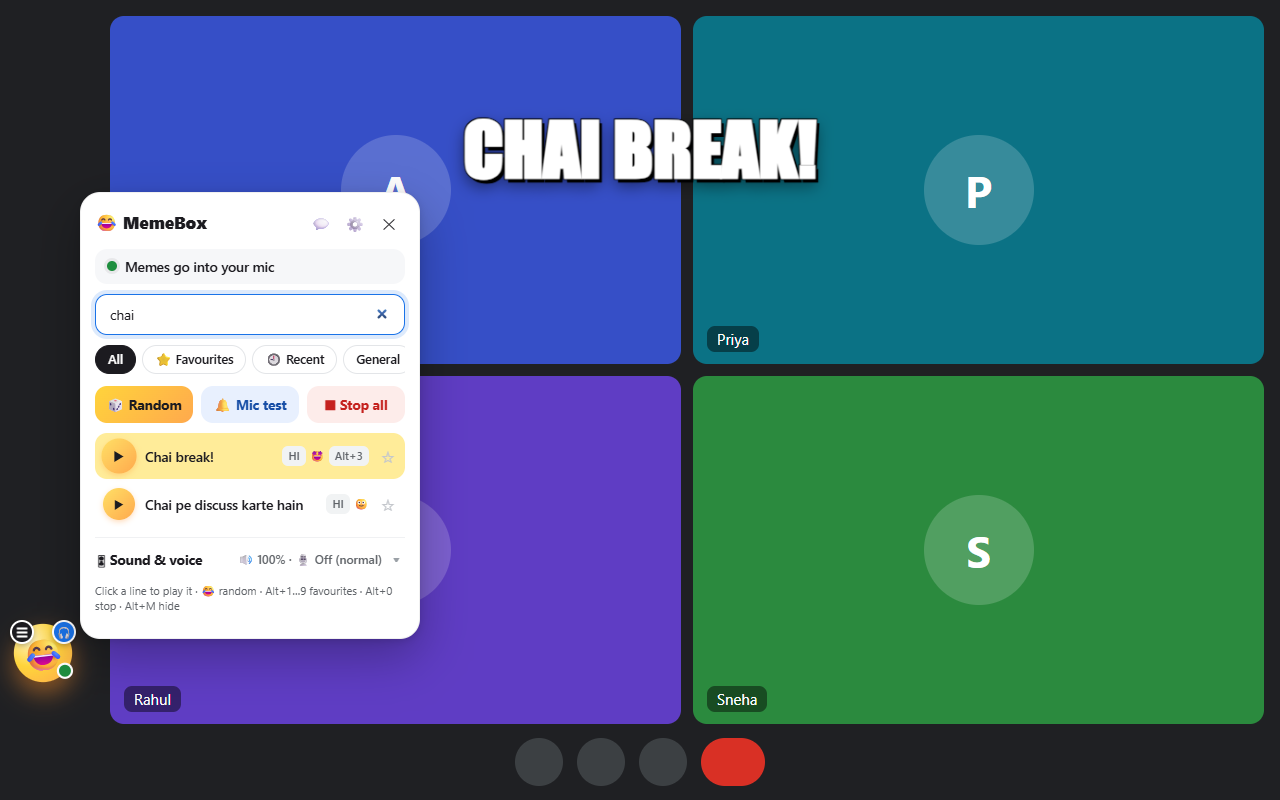
Play meme sounds, funny lines and sound effects in your Microsoft Teams call. MemeBox sends them through your microphone, so everyone hears them. Only you need it.
Add MemeBox to Chrome, it's free ▶ Try the sounds
Install the free MemeBox extension for Chrome or Edge.
Open Teams on the web (teams.microsoft.com or teams.live.com) and join the call. The 😂 button appears in the corner.
A meme plays through your mic and everyone hears it. Right-click 😂 to pick a sound, search, or change your voice.
Hundreds of laughs one click away. Favourites on Alt+1 to Alt+9, a random meme on 😂.
Chipmunk, Deep, Robot, Echo or Radio for your own live voice. Alt+V turns it on and off.
Play a funny YouTube moment straight into the Microsoft Teams call. Nothing is downloaded.
Yes. MemeBox plays the meme through your microphone, so everyone in the Microsoft Teams call hears it, just like your voice. They don't need MemeBox.
Yes. The soundboard, Hindi and English voices, six tones and tab audio are free. Pro (₹99 once) adds unlimited picture memes, the voice changer and more.
Never. MemeBox only mixes sound inside your browser tab. Nothing is saved or uploaded.
MemeBox works in the browser version of Microsoft Teams (Chrome or Edge). MemeBox works in Teams on the web, not the Teams desktop app.
Free, private, and ready in seconds.
Add MemeBox to ChromeAlso for: Google Meet soundboard · Zoom soundboard · Discord soundboard